Integer Math
The Integer Math components provide mathematical functions for integer data, allowing bitwise mathematical operations.
This group includes the following components:
This group also includes the following components, if RPvdsEx Device Setup is configured for a high performance device, such as the RXn or RZn:
FromBits
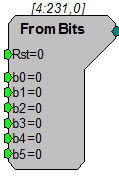
Description:
Converts bit format to an integer value. See ToBits.
Equation:
I1 = L0-7 Bit-mask
Example(s):
B0=1, B1=1, B2=1, B3=0, B4=0, B5=0, I1=7
B0=1, B1=0, B2=0, B3=0, B4=1, B5=1, I1=49
B0=1, B1=1, B2=1, B3=1, B4=1, B5=1, I1=63
iAbsVal
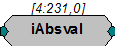
Description:
Computes the absolute value of the signal.
Equation:
Io = |Ii|
Example(s):
iAbsVal (-2) = 2
iAbsVal (2) = 2
iAnd
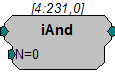
Description:
Bitwise AND function. Bitwise AND of integer input and N.
Equation:
Io = Ii AND N1
Example(s):
7(0000 0111) AND 3 (0000 0011)= 3
7(0000 0111) AND 9 (0000 1001)= 1
iBitShift
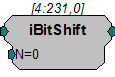
Description:
Bit shifts input by N bits. Positive N bit shifts to the left negative shifts to the right.
Equation:
Io = Ii * 2N1
Example(s):
N=1; iBitShift (20) = 40
iCompare
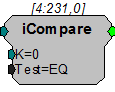
Description:
Compares input to K using specified Test and reports TRUE or FALSE as logic High or Low respectively. Test can be EQ: Equal; NE: Not Equal; GT: Greater Than; LT: Less Than; GE: Greater than or Equal to; LE: Less than or equal to. Can be thought of as an If... statement.
Equation:
Io = iCompare (Ii Test K)
Example(s):
K = 20; Test Eq; When Ii = 20, Io =1, otherwise Io =0;
K=20; Test GT; When Ii > 20, Io =1; otherwise Io =0;
iLimit
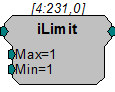
Description:
Limits the signal to the Maximum and Minimum levels specified. If the input signal is greater than the Max value then the signal out is the Max value. If the input signal is less than the Min value then the signal out is the Min value. If the input signal is between the Min and Max values it is passed through as the signal output without change.
Important
If Max is defined as a value less than the defined Min value, the output will always be the defined Min, regardless of the input value.
Equation:
If Fi > D1 then Fo = D1
Else If D2 <= Fi <= D1 then Fo = Fi
Else If Fi < D2 then Fo = D2
iNot
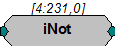
Description:
Inverts bits of integer value.
Equation:
Io = NOT (Ii)
Example(s):
NOT (0x000F) = 0xFFF0
NOT(7)=-8
iOr
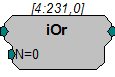
Description:
Bitwise OR function.
Equation:
Io = Ii OR N1
Example(s):
7(0000 0111) OR 3 (0000 0011)= 7
7(0000 0111) OR 9 (0000 1001)= 15
iScaleAdd
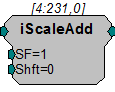
Description:
Multiply signal by scale factor and add shift factor. The SF parameter can be used to apply a simple scalar, or modulate a signal. The Shift parameter can be used to place a DC shift on a signal or add two signals together.
Equation:
Output = (Input* SF) + Shift
iSign
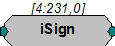
Description:
This component determines the sign of the input.
Equation:
If Ii < 0 then Io = -1
Else If Ii = 0 then Io = 0
Else If Ii > 0 then Io = 1
iXor
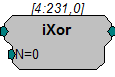
Description:
Output is changed based on the bit-form of the parameter value using an exclusive OR bit mask. Exclusive OR only includes those bit-values that have a single 1. See the examples below.
Equation:
Io = Ii IXOR (Np )
Example(s):
7(0000 0111) IXOR 1 (0000 0001) = 6
7(0000 0111) IXOR 7(0000 0111) = 0
14(0000 1110) IXOR 7 (0000 0111) = 9
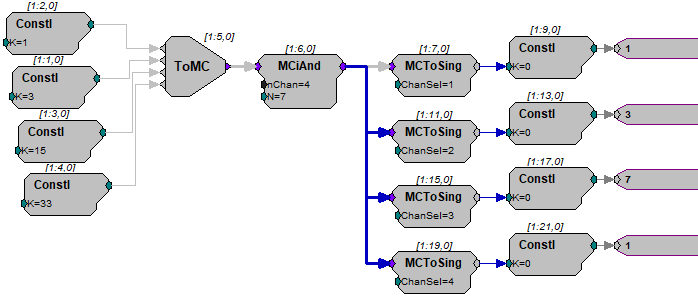
MCiAnd

Description:
Multi-channel bitwise AND function. Bitwise AND of integer input and N.
Equation:
Io = Ii AND N1
Example(s):
7(0000 0111) AND 3 (0000 0011)= 3
7(0000 0111) AND 9 (0000 1001)= 1
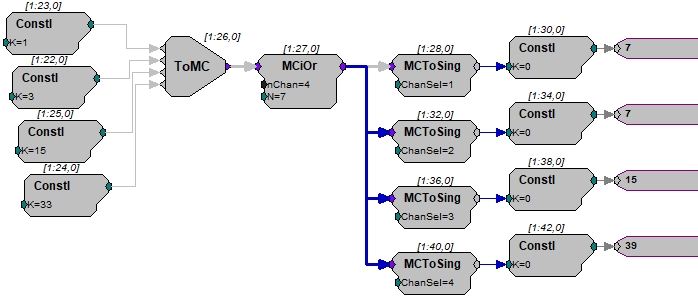
MCiOr

Description:
Multi-channel bitwise OR function.
Equation:
Io = Ii OR N1
Example(s):
7(0000 0111) OR 3 (0000 0011)= 7
7(0000 0111) OR 9 (0000 1001)= 15
MCiShift

Description:
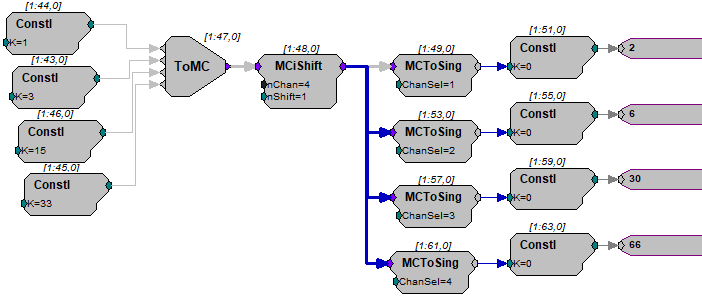
Bit shifts the multi-channel input by N bits. Positive N bit shifts to the left negative shifts to the right.
Equation:
Io = Ii * 2N1
Example(s):
N=1; MCiShift (20) = 40
ToBits
Description:
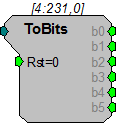
Converts the first 6 bits of an Integer to a series of logical outputs. Values greater than 63 or less than 0 may give unexpected results. See FromBits.
Note
The b0 output is a primary output on the ToBits component. The b1 through b5 outputs are secondary. This may cause a problem when connecting b1 through b5 to logic inputs requiring a primary input (e.g. And, Or etc.). Use a ConstL between the two components to solve this problem.
Equation:
Io = Ii Bit-mask
Example(s):
Ii=7: B0=1, B1=1, B2=1, B3=0, B4=0, B5=0
Ii=2001: B0=1, B1=0, B2=0, B3=0, B4=1, B5=0
Ii=-1: B0=1, B1=1, B2=1, B3=1, B4=1, B5=1