Configuring MF2 for Closed Field
For closed-field operation, the Closed Field adapter is attached to the face of the speaker using six hex screws (included with the speaker kit) and snugged down with the included hex tool.
The speaker can be connected to the source via an RCA connector located on the back of the MF2 housing. If using the stereo amplifier built into the RZ6, simply connect the supplied RCA cable from the MF2 to one of the output BNC connectors on the RZ6 using the supplied RCA to BNC adapters.
Important
When using the MF2 in the closed-field configuration the supplied CF line filter must be installed between the BNC to RCA adapter and the RCA cable, or between the RCA cable and the MF2. This filter minimizes distortion at lower frequencies in the closed-field.
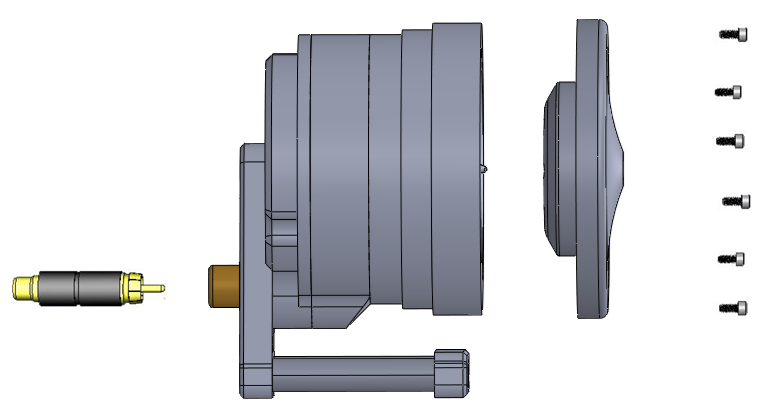
To configure the MF2 for closed-field:
-
a) Ensure black o-ring is in place on back of CF adapter.
b) Attach the CF Adapter to the front of the speaker using six of the provided 1/4 x 4-40 hex screws.
c) You will see single or double hash marks on the side of the MF2 speaker and corresponding single or double marks on the side of the CF Adapter. When you screw the CF Adapter in place, be sure that the hash marks align for best results when you calibrate the speakers.
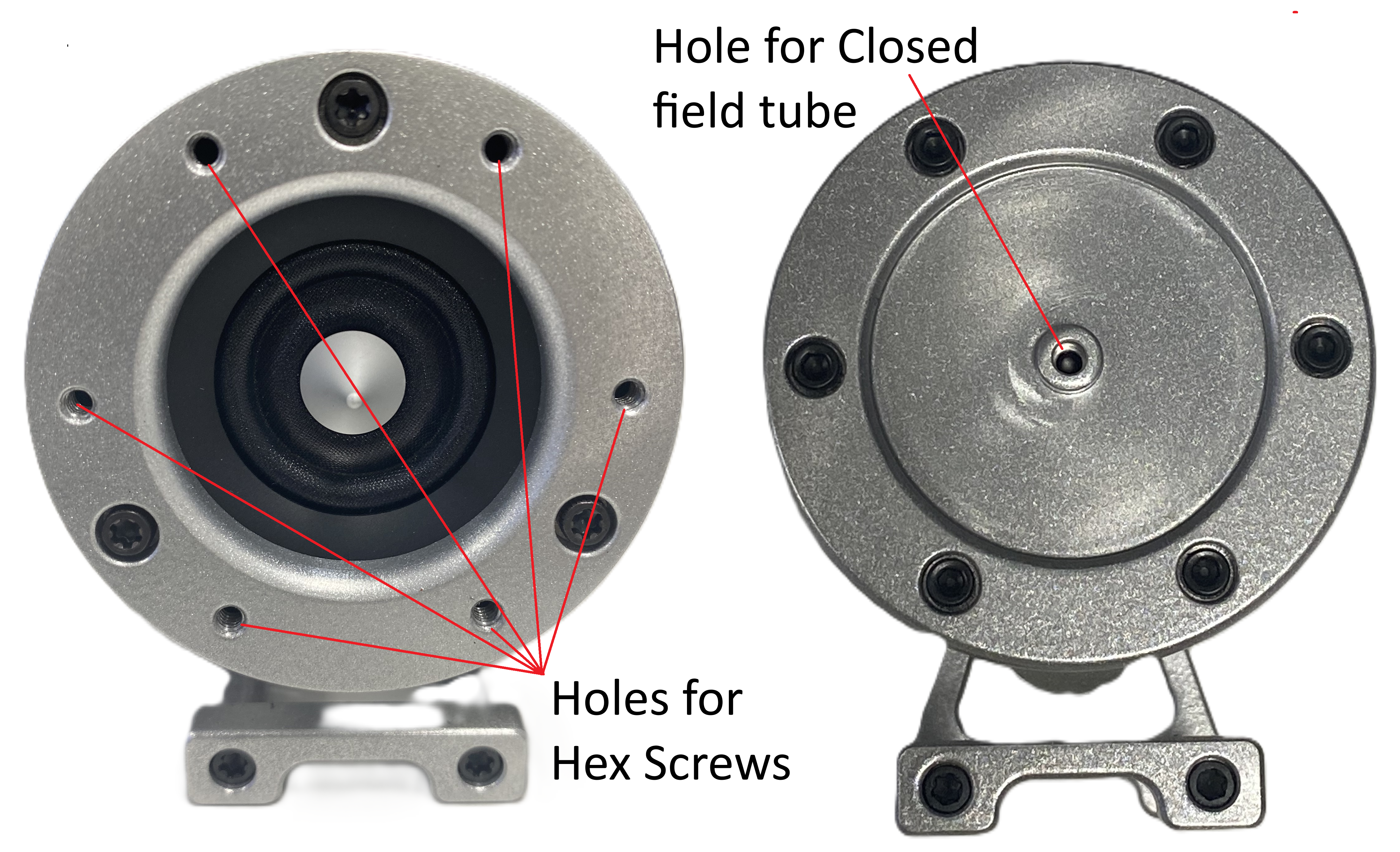
-
Attach the clear tubing to the front of the CF Adapter.
-
Attach a BNC to RCA adapter to the BNC amplifier port of your source device.
-
Attach the CF filter to the RCA cable.
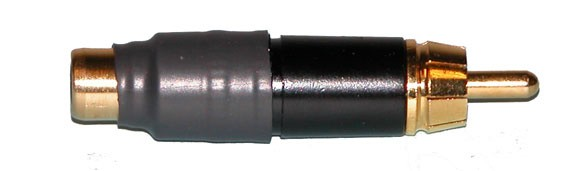
CF Filter For Closed Field Configuration Only If desired, attach the provided stand to the speaker using a thumbscrew.
-
Connect the MF2 to the amplifier using the RCA cable (with CF filter attached).
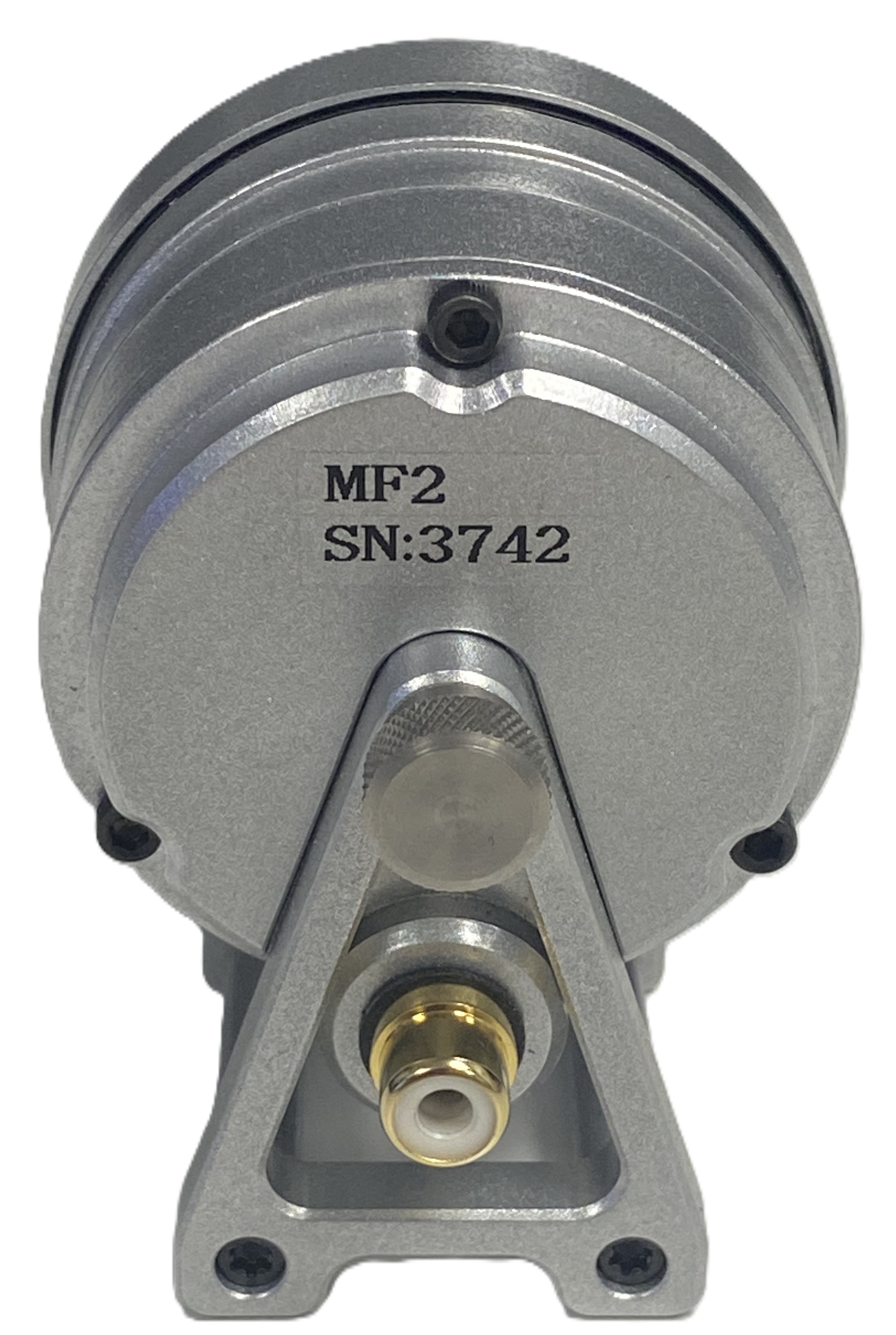
For more information on the MF2 Speaker, see the System 3 Manual.